User Guide
Welcome to the Leading University Competitive Programming Archive. This comprehensive guide will help you navigate and make the most of our platform.
Getting Started
Before you can access all features, you need to create an account:
- Click the "Get Started / Login" button on the home page
- Sign in using your GitHub account
- That's it! ✨
User Types
There are 3 types of users in LU-CP-Archive:
- STANDARDUser — Default user type for all new users
- POWERUser — Assigned by admins for trusted contributors
- ADMINUser — Full platform access and moderation capabilities
Your account type determines which features and actions you can access on the platform.
Dashboard Overview
The dashboard is your command center, providing quick access to all platform features.
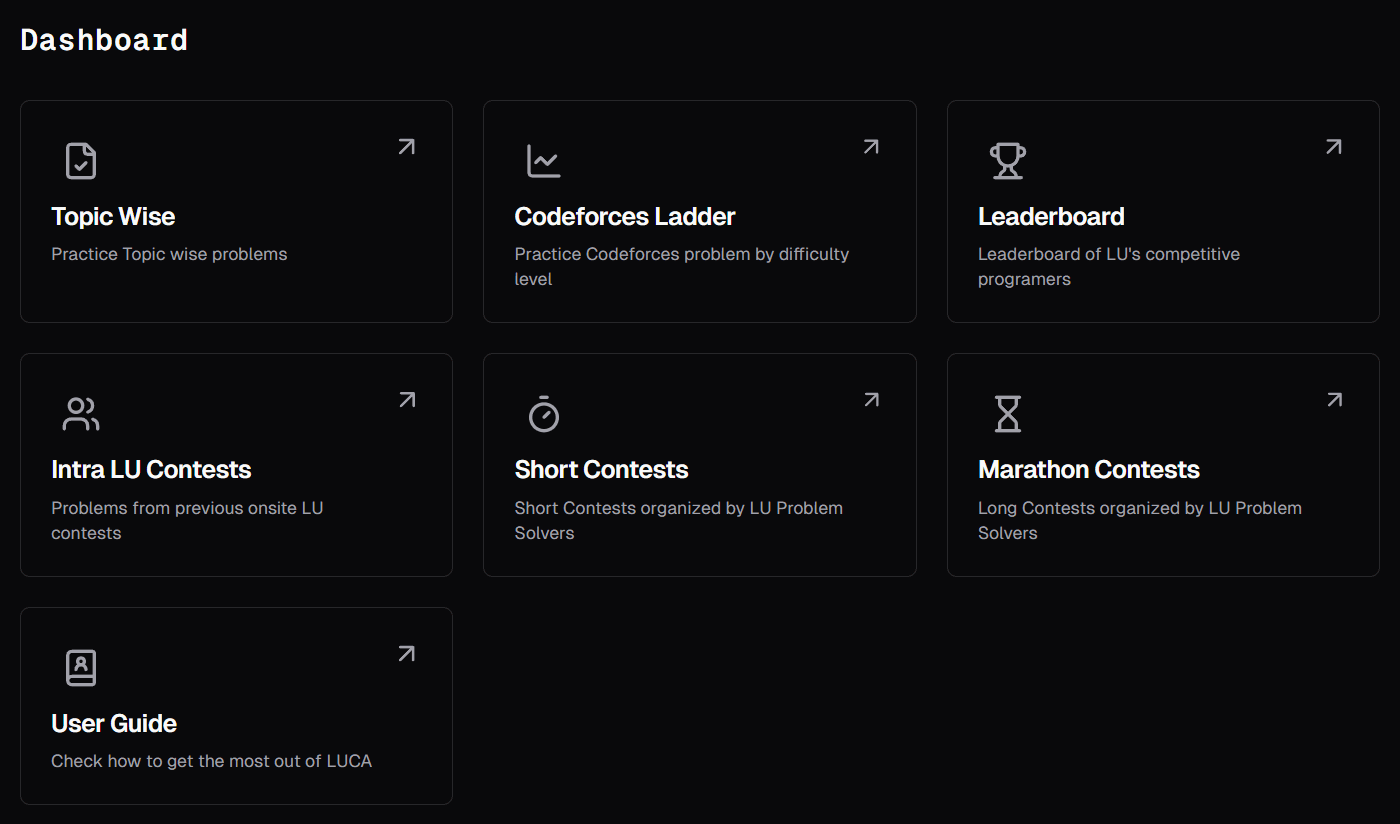
Available Features
| Feature | Description |
|---|---|
| Topic Wise | Browse and solve problems organized by algorithm topics |
| Codeforces Ladder | Progress through Codeforces problems by difficulty level |
| Leaderboard | View competitive rankings of LU programmers |
| Intra LU Contests | Access problems from previous LU onsite contests |
| Short Contests | Participate in time-limited contests organized by LU |
| Marathon Contests | Engage in extended contests for comprehensive practice |
The following sections explain each feature and how to use them based on your user type.
Profile Management
Manage your account settings, achievements, and Codeforces integration from your profile page.
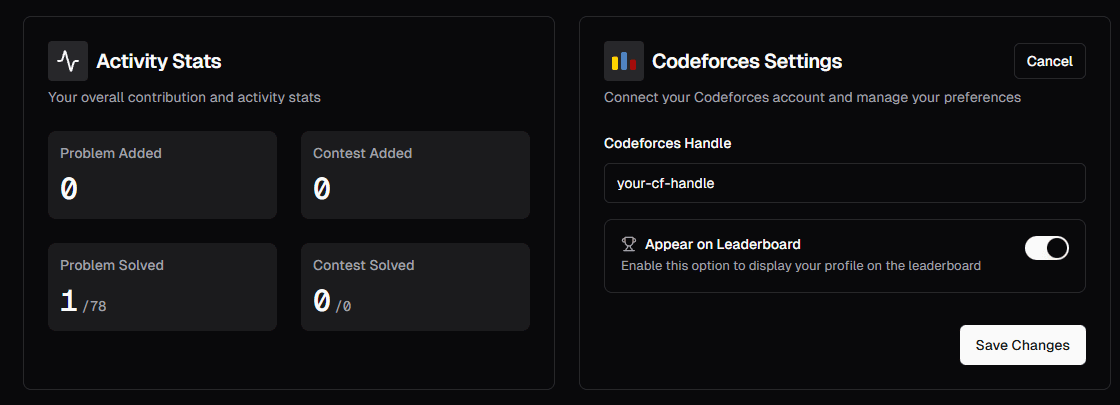
Standard User & Power User Features
- View their contribution statistics
- Connect and manage their Codeforces handle
- Control their leaderboard visibility with the "Appear on Leaderboard" toggle
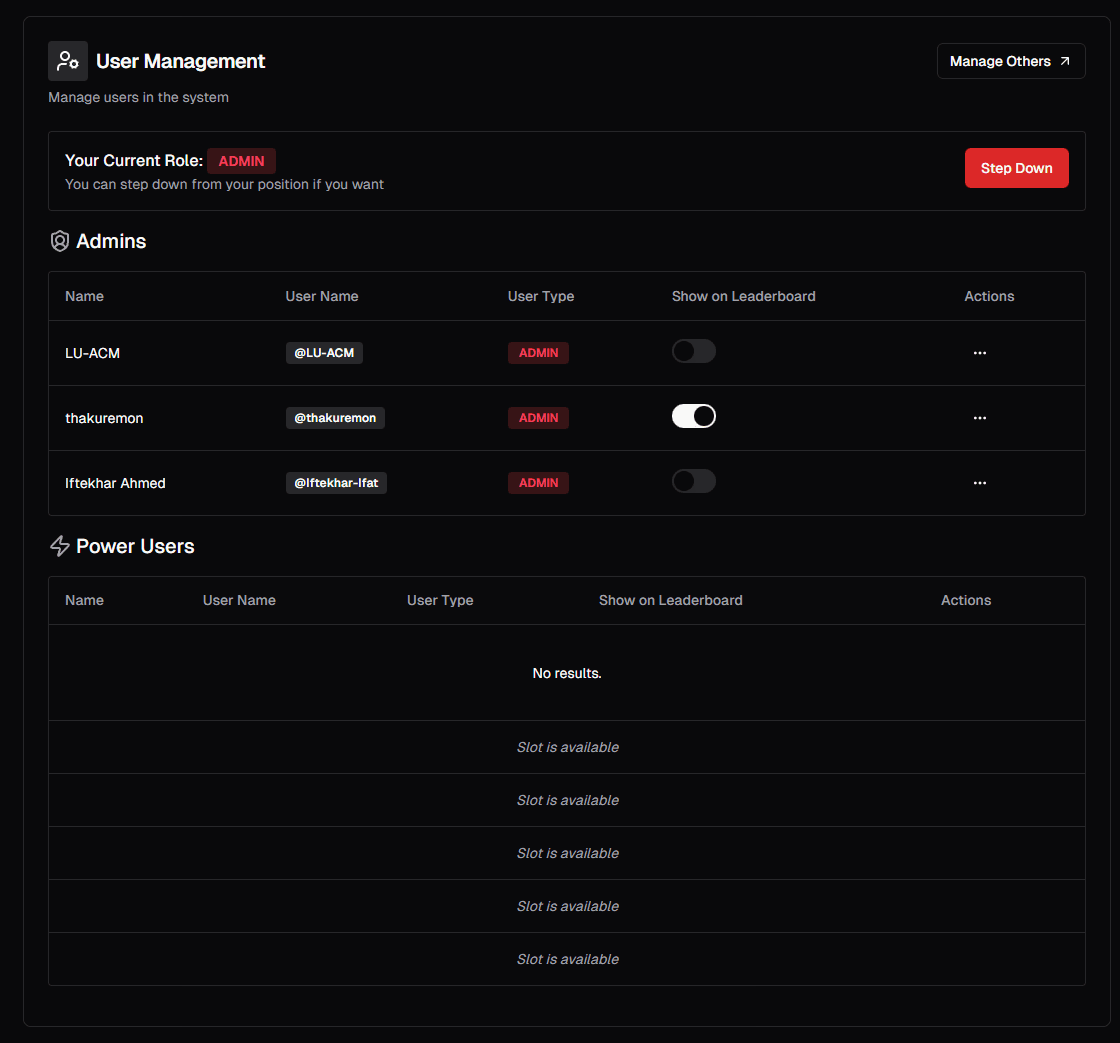
Admin Features
- Do everything Standard and Power users can do
- Manage other users' roles:
- Promote users from Standard to Power
- Demote users from Power to Standard
- Step down from admin role to become a Standard user
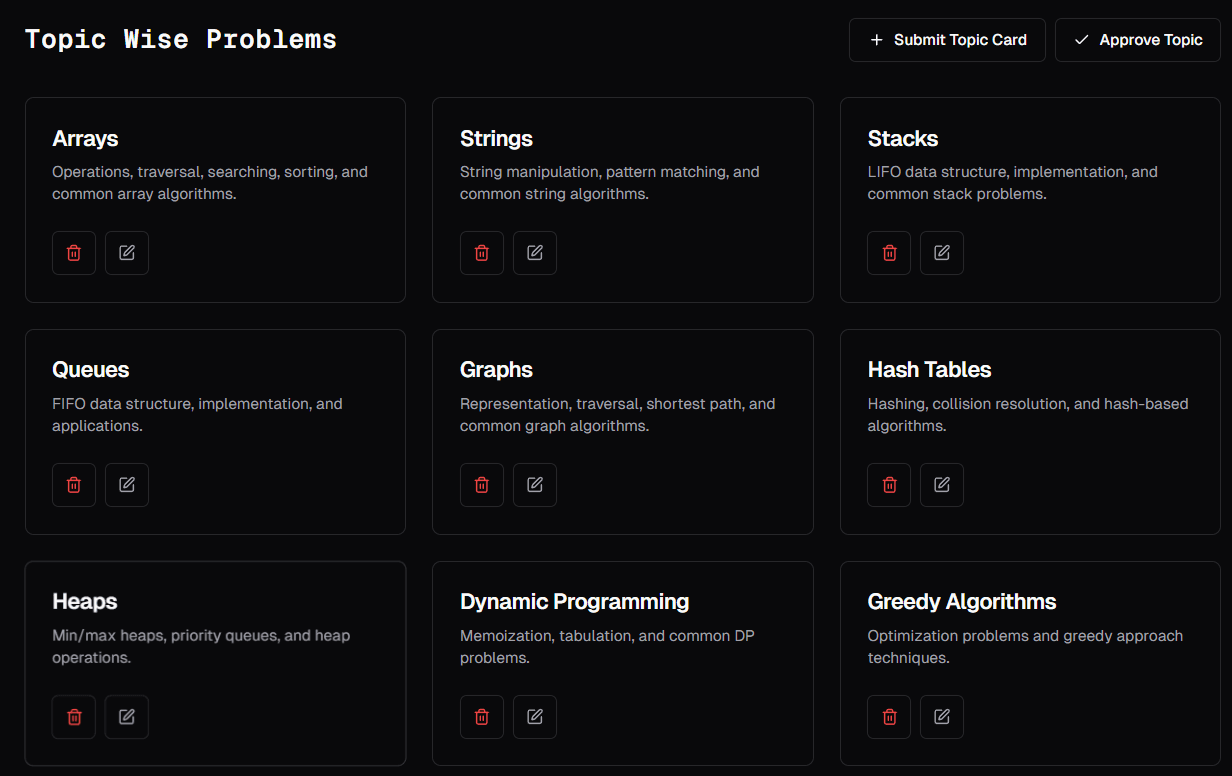
Topic Wise Problems
Practice problems organized by algorithmic topics for structured learning.
Permissions by User Type
- STANDARDUsers — Can browse and view topics (read-only access)
- POWERUsers — Can submit new topics in addition to standard access
- ADMINUsers — Can review, approve, modify, or delete submitted topics and existing topic cards
Individual Topic Pages
Each topic has a dedicated page where users can manage and solve problems based on their role.
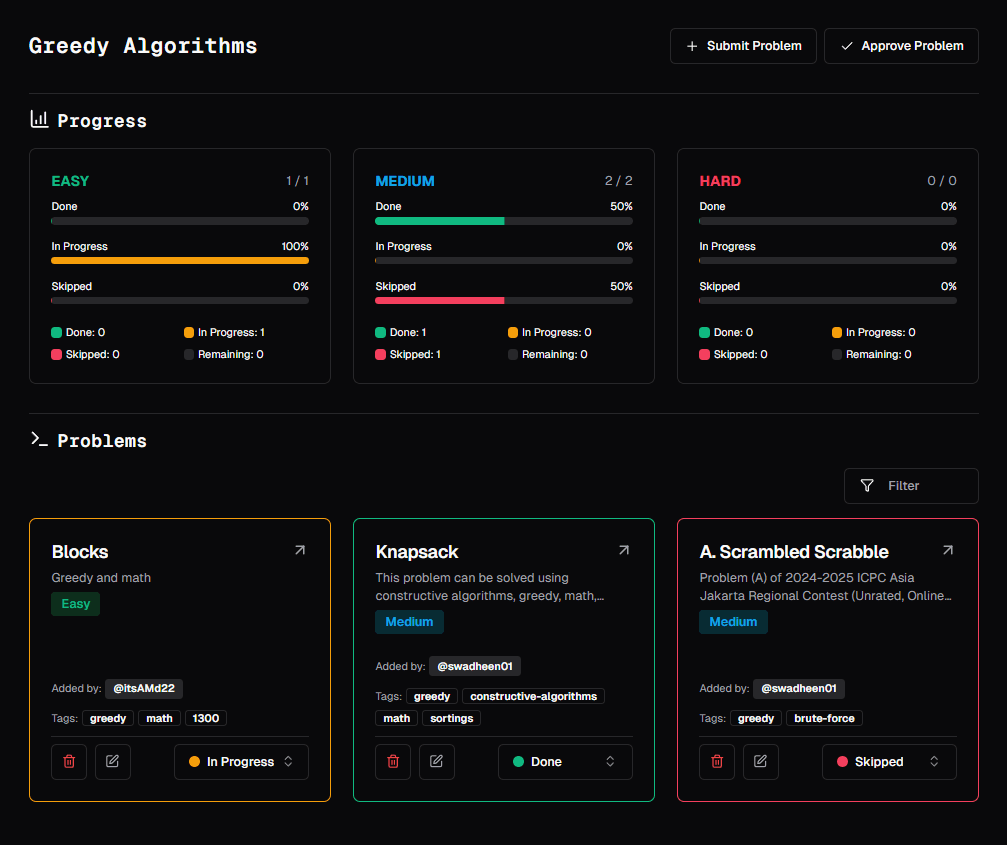
Permissions by User Type
- Submit new problems
- Update problem status ("Done", "In Progress", "Skipped")
- Filter problems by difficulty ("Easy", "Medium", "Hard")
- Track personal progress
- Do everything Standard users can do
- Review and approve problems submitted by other users
- Modify or delete existing problems
Codeforces Ladder
Progress through Codeforces problems systematically by difficulty level, from beginner to advanced.
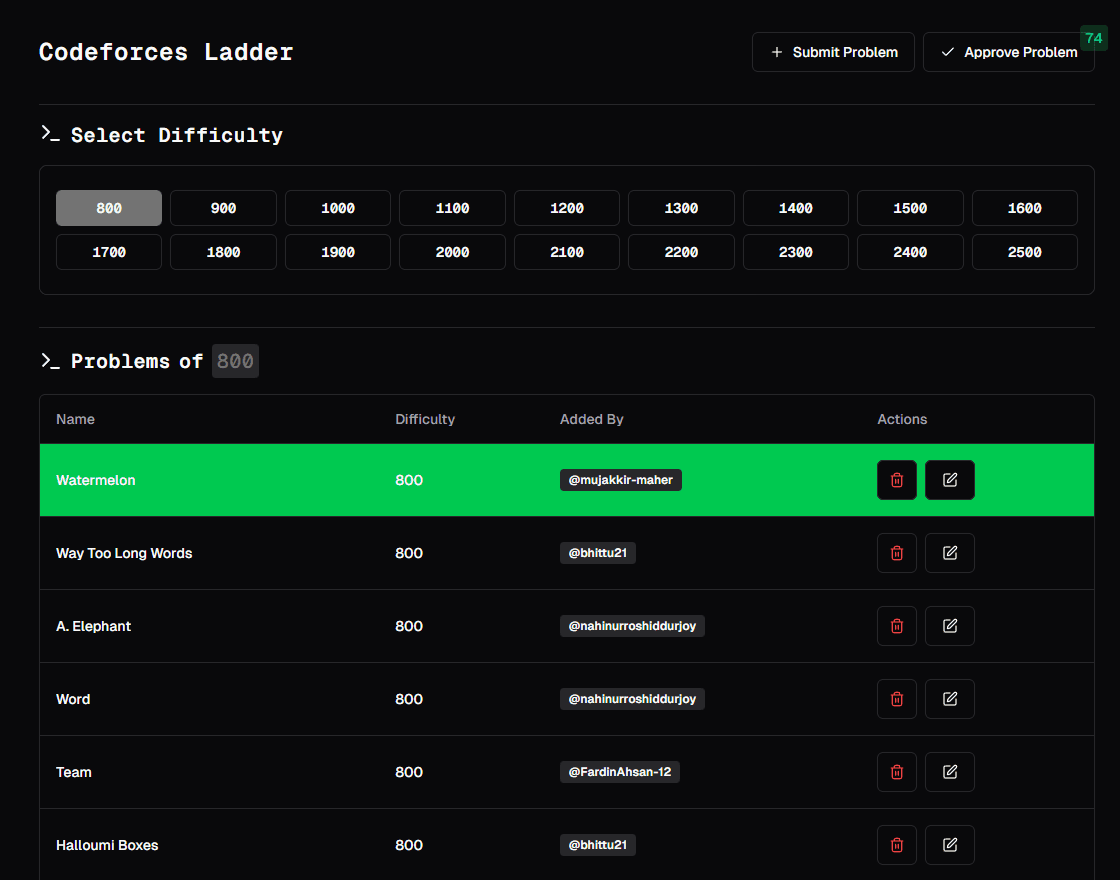
Permissions by User Type
- Submit problems based on Codeforces difficulty level
- View problem-solving status if they've added their Codeforces handle to their profile
- Solved problems appear with a green background
- Unsolved problems have a default background
- Do everything Standard users can do
- Review and approve problems submitted by other users
- Modify or delete existing problems
Contests
The platform offers three types of competitive contests:
- Intra LU Contests — Problems from competitive programming contests organized within LU
- Short Contests — Focused, time-limited competitions organized by LU Problem Solvers
- Marathon Contests — Extended competitions for comprehensive practice organized by LU Problem Solvers
Permissions by User Type
- Submit contests
- Update contest status ("Done", "In Progress", "Skipped")
- Filter contests by difficulty ("Easy", "Medium", "Hard")
- Do everything Standard users can do
- Review and approve contests submitted by other users
- Modify or delete existing contests
Leaderboard
The leaderboard ranks users based on their competitive programming performance, primarily on Codeforces. For detailed information about how leaderboard points are calculated, visit this article.
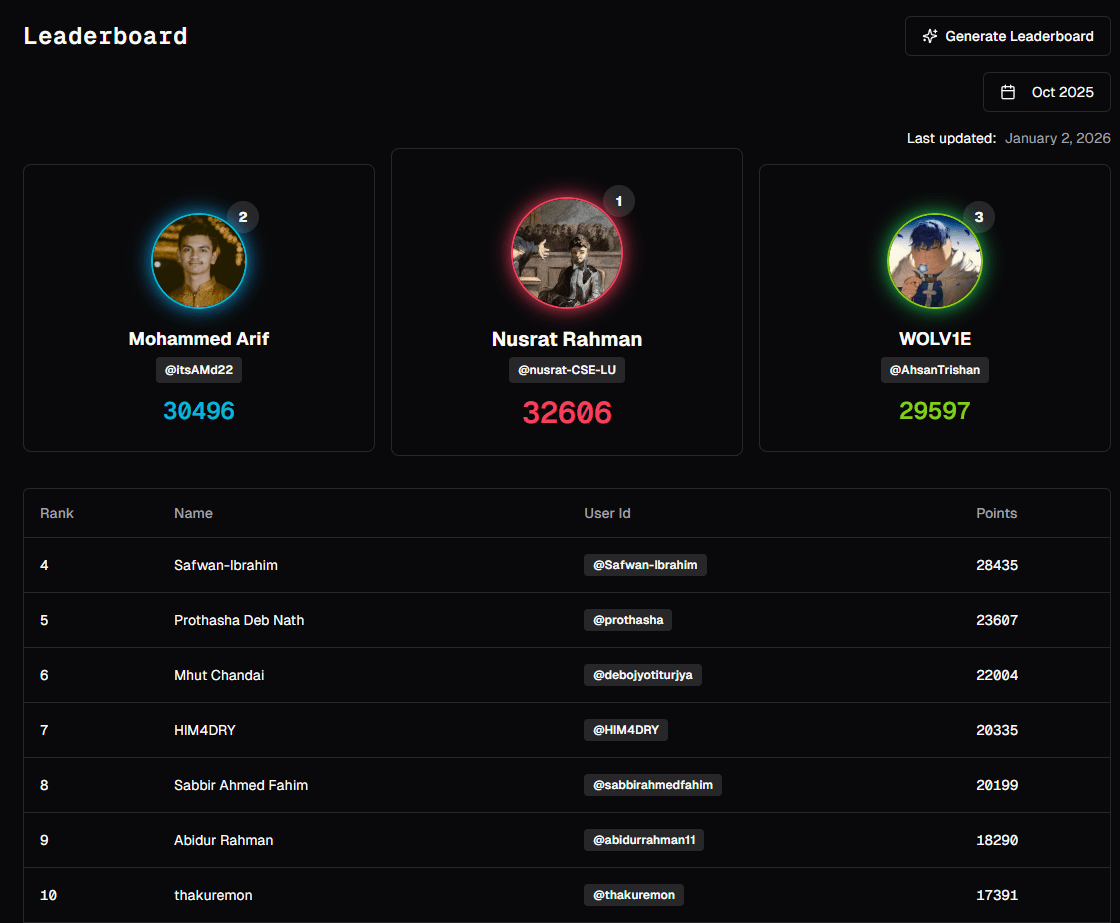
Permissions by User Type
- Participate on the leaderboard by:
- Adding their Codeforces handle in their profile
- Enabling the "Appear on Leaderboard" option
- Do everything Standard and Power users can do
- Generate and maintain the leaderboard (see the
Generate Leaderboardpage for more details)
Contribution & Support
LU-CP-Archive is an open-source project. We welcome contributions from the community!
Get Involved
- Contribute on GitHub — Help us improve the platform by contributing code and features: GitHub Repository
- Contact & Inquiries — For questions or support, reach out through the platform or visit the official LU-ACM Facebook page: LU-ACM
Last Updated: January 3, 2026